Creators
A cover, without another application.
Most of what a book needs to look finished is its front. The designer lays one out in the browser — templates, type, shapes and your own images — and saves it straight onto the book.
Starting points
A few of the starting points. Every part of one can be changed — type, colour, shapes, your own images — and new starting points are added over time.
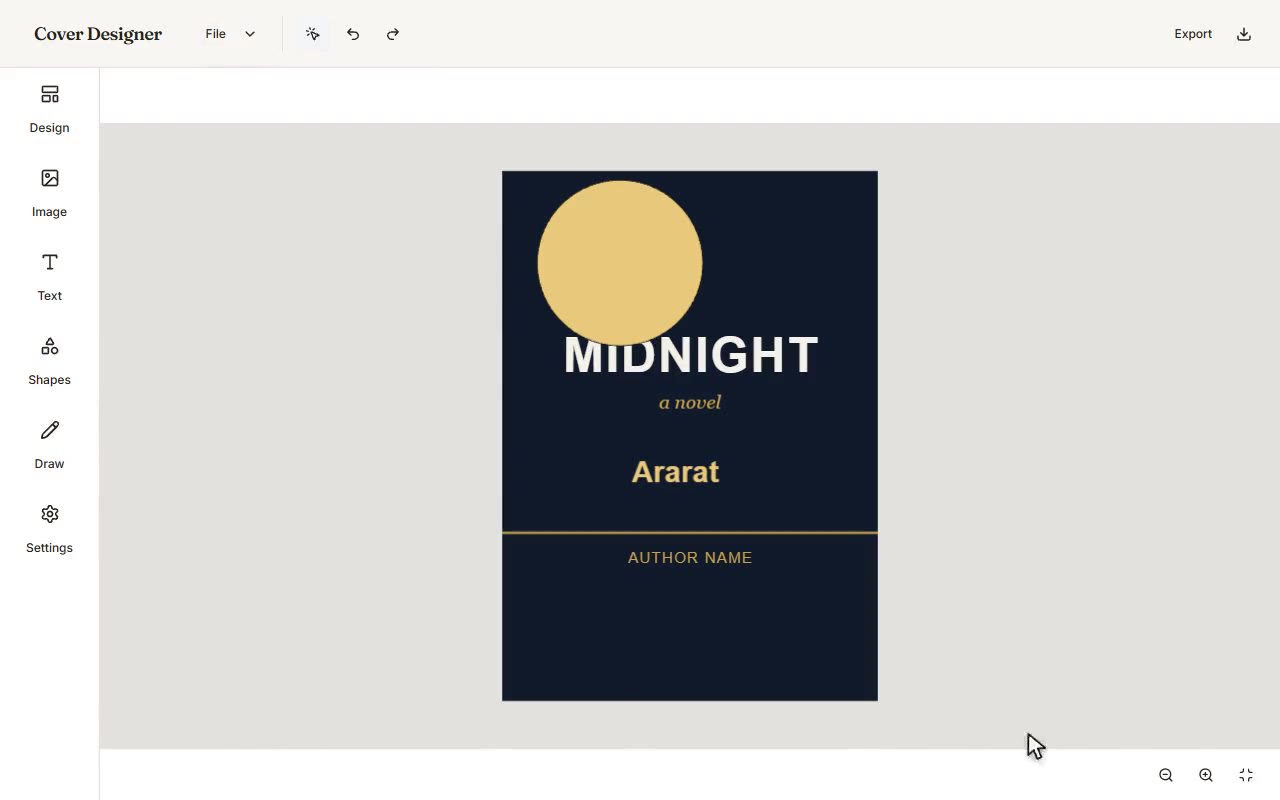
The editor, recorded as it runs: a starting point, a heading in your own words, type and colour, a shape, freehand, undo, and a file at the end of it.
Change anything on it
Type in any face and size, colour by eye or by hex, shapes, opacity and layer order, freehand drawing, your own photographs with filters — and undo behind all of it. Or begin from a blank cover with nothing on it but what you put there.
Four faces, not one
Front and back, outside and in. Inner faces are optional and sit behind their outer cover, the way a real binding works.
It reopens
A saved cover can be opened again later and edited, rather than being a flattened image you have to rebuild from memory.
On Pro and above
The designer is part of the paid plans. Uploading your own cover art is not — that works on every plan, including Free, so a book never has to go out bare.
Your work stays yours
If a plan lapses, covers you have already designed keep rendering on your books exactly as they are. You simply cannot open the editor again until the plan is back — and you can still replace or remove a cover at any time.